POS terminal
The BillKO app works alongside the payment app on the same device. After a successful card payment, BillKO issues, fiscalizes, and prints the invoice.
For entrepreneurs and organizations
By industry
For collaboration
Odaberite sučelje koje odgovara uslugama koje koristite.
POS and fiscal cash register
On a POS terminal or Android device, BillKO Fiscal Cash Register connects the sale, card payment, fiscalization, and invoice printing.
POS and fiscal cash register
On a POS terminal or Android device, BillKO Fiscal Cash Register connects the sale, card payment, fiscalization, and invoice printing.
POS and fiscal cash register
On a POS terminal or Android device, BillKO Fiscal Cash Register connects the sale, card payment, fiscalization, and invoice printing.
From quotes to reports, BillKO connects payments, fiscalisation, eInvoices, POS and online sales while automating repetitive steps.
From quotes to reports, BillKO connects payments, fiscalisation, eInvoices, POS and online sales while automating repetitive steps.
From quotes to reports, BillKO connects payments, fiscalisation, eInvoices, POS and online sales while automating repetitive steps.
The BillKO app works alongside the payment app on the same device. After a successful card payment, BillKO issues, fiscalizes, and prints the invoice.
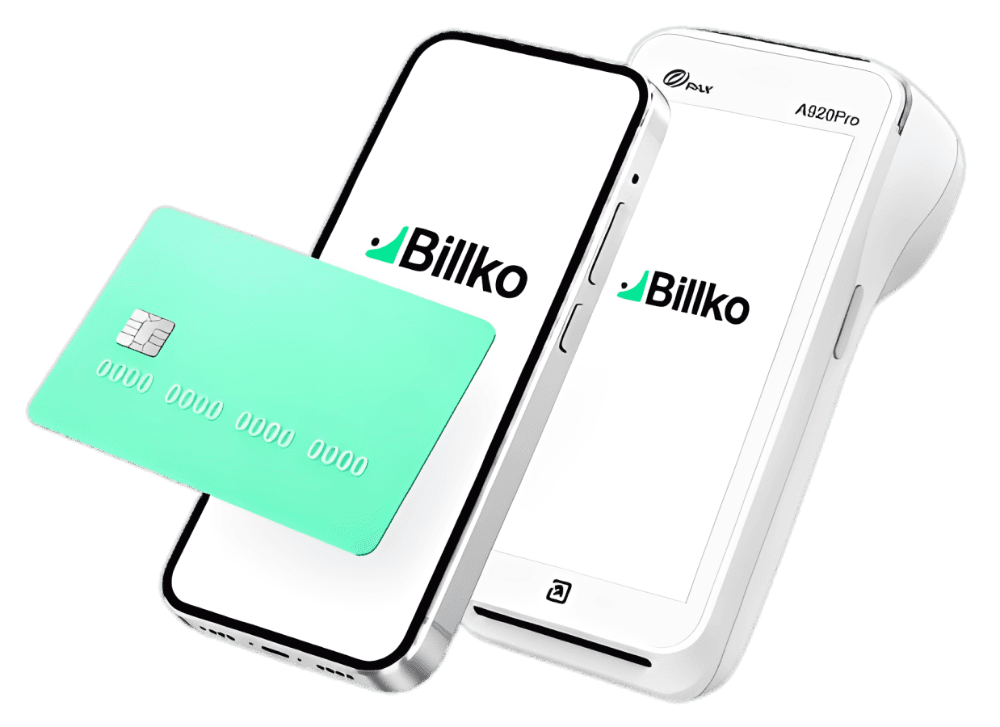
Use the BillKO app on a phone or another Android device and print the invoice on an external printer.
01
Choose a product, service, quote, or advance invoice in BillKO.
Choose a product, service, quote, or advance invoice in BillKO.
Choose a product, service, quote, or advance invoice in BillKO.
02
Use cash, card, bank transfer, or another recorded payment method.
Use cash, card, bank transfer, or another recorded payment method.
Use cash, card, bank transfer, or another recorded payment method.
03
BillKO fiscalizes, saves, and sends the invoice to print.
BillKO fiscalizes, saves, and sends the invoice to print.
BillKO fiscalizes, saves, and sends the invoice to print.
Enter the sale, send the amount to the payment app, confirm payment, and print the fiscalized invoice. On Android, send the invoice to an external printer.
Enter the sale, send the amount to the payment app, confirm payment, and print the fiscalized invoice. On Android, send the invoice to an external printer.
Enter the sale, send the amount to the payment app, confirm payment, and print the fiscalized invoice. On Android, send the invoice to an external printer.
Explore the POS and Android options. Tell us which provider or device you use, and we will suggest a setup for your business.
Explore the POS and Android options. Tell us which provider or device you use, and we will suggest a setup for your business.
Explore the POS and Android options. Tell us which provider or device you use, and we will suggest a setup for your business.
A single fiscal cash register for services, events, field operations, and everyday retail.
A single fiscal cash register for services, events, field operations, and everyday retail.
A single fiscal cash register for services, events, field operations, and everyday retail.
Take payment for a service or membership and issue the invoice immediately.
Sell at an entrance, stand, or temporary location.
Issue an invoice where you work.
Connect daily sales, every payment method, fiscalization, and reporting.
You can use BillKO through the web interface on computers and mobile devices, through the Android app and on supported POS terminals.
The BillKO Android app lets you sell and issue invoices on a supported phone, tablet or other Android device. Depending on the setup, you can send the invoice to the customer or print it on an external printer. The data goes into the same BillKO reports as invoices from the web interface or POS.
In the BillKO Android app, you send the invoice to an external printer using a setup suited to your device and how you work.
Make sure you have an internet connection at the point of sale for regular use of BillKO and fiscalization.
BillKO supports quotes and turning them into invoices without entering the data again.
You arrange card acceptance with your chosen payment service provider. The provider processes payments and sets the contract terms and transaction fees. BillKO connects payments with invoice issuance, fiscalization and reporting.
The payment gateways available for processing online payments are Monri, Worldline and Teya.
You send the customer a link for online payment. Once successful payment is confirmed, BillKO automatically issues the invoice, delivers it to the customer and records the status. The exact process depends on the chosen payment partner and agreed integration.
In a process linked to payment collection, BillKO automatically issues an invoice once successful payment is confirmed. The exact timing depends on the integration and agreed rule; if an invoice was issued before payment, the later payment is linked to the existing invoice and its status.
Your chosen payment service provider charges the transaction fee under your contract with them. BillKO connects payments with the invoice, fiscalization and reporting. The payment partner’s fees are agreed separately from the use of BillKO.
In a setup where confirmed successful payment triggers invoice issuance, a failed payment does not trigger that step. If the invoice was created earlier, what happens next depends on the agreed process and the invoice’s status.
The payment gateways available for processing online payments are Monri, Worldline and Teya.
You send the customer a link for online payment. Once successful payment is confirmed, BillKO automatically issues the invoice, delivers it to the customer and records the status. The exact process depends on the chosen payment partner and agreed integration.
In a process linked to payment collection, BillKO automatically issues an invoice once successful payment is confirmed. The exact timing depends on the integration and agreed rule; if an invoice was issued before payment, the later payment is linked to the existing invoice and its status.
Your chosen payment service provider charges the transaction fee under your contract with them. BillKO connects payments with the invoice, fiscalization and reporting. The payment partner’s fees are agreed separately from the use of BillKO.
In a setup where confirmed successful payment triggers invoice issuance, a failed payment does not trigger that step. If the invoice was created earlier, what happens next depends on the agreed process and the invoice’s status.
In the presentation, we will go through integration that fits your sales channel.
In the presentation, we will go through integration that fits your sales channel.
In the presentation, we will go through integration that fits your sales channel.