Invoicing and fiscalization software

Billko is software for invoices, eInvoices and fiscalization with a POS app for Android. Billko is also an information intermediary on the Tax Administration's list.

Billko in short

Fiscalization

1.0 and 2.0 in one program

Intermediary

Billko, on the Tax Administration's list

Where it runs

In a browser and in the Android app

Accountant

Access is free

Invoicing, eInvoices and a fiscal cash register in one program

Billko decides from the buyer on the invoice whether to fiscalize it or send it as an eInvoice, and after a payment on the POS device it issues the fiscalized receipt straight away.

eInvoices

eInvoices, Fiscalization 1.0 and 2.0

Billko fiscalizes invoices to citizens under Fiscalization 1.0 and sends eInvoices to companies and public bodies under Fiscalization 2.0, with no other intermediary. You accept or reject a received eInvoice.

Invoices

Issuing invoices, quotes and pro forma invoices

You issue invoices, R1 invoices, quotes and pro forma invoices in a browser or the Android app, in Croatian or English. Turn an accepted quote into an invoice in one click, and set up recurring invoices for a regular customer.

POS

Fiscal cash register and POS app for Android

The POS app runs on an Android phone, a tablet or a payment partner's POS terminal. Take cash or card on the POS device, and Billko issues the fiscalized receipt straight away.

Payments, books and integrations beside your invoicing software

Billko matches bank statement payments to invoices and enters paid invoices in the KPR. It also issues invoices from a WooCommerce webshop, and your own program starts invoices through the API.

Payments

Getting invoices paid and the 2D barcode

A payment from the statement closes the invoice; payment partners take cards.

Reports

Books of received and issued invoices (U-RA, I-RA) and the KPR

A paid invoice goes into the KPR, and the PO-SD form is made from it.

Webshop

WooCommerce fiscalization and invoices for a webshop

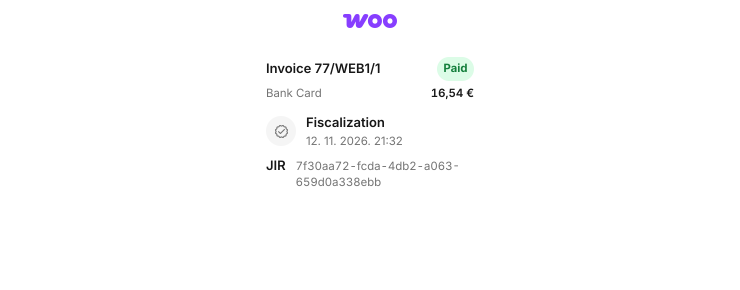
An order from a WooCommerce shop becomes a fiscalized invoice.

Integrations

Integrations and API for fiscalization

Your own program starts issuing invoices in Billko through the API.

What happens to an invoice after you issue it?

Billko carries the same invoice from issuing to payment and the books, so you don't type it in three times.

What do all parts of Billko share?

The devices, the users, the support and the data rules are the same across Billko.

Devices

  • A browser on a computer and a phone
  • The POS app for Android
  • The interface in Croatian and English

Users

  • Unlimited users, with roles
  • Access for your accountant is free
  • Several companies under one login

Support

  • By phone and e-mail
  • Working days from 8:00 to 16:00
  • We don't charge for set-up

Data

  • Personal data are processed in the EU
  • Encrypted in transit and at rest
  • Export to Excel, XML and PDF

Frequently asked questions about invoicing software

Billko issues invoices, R1 invoices, reverse charge invoices, quotes and pro forma invoices, fiscalizes invoices to citizens under Fiscalization 1.0 and sends eInvoices to companies under Fiscalization 2.0. On the POS device it issues fiscalized receipts, it matches payments to invoices, and it keeps the KPR, the PO-SD and the books of received and issued invoices.

Choose Billko for your trade or company

We don't charge for setting up Billko, and support by phone and e-mail is included in every plan.