For entrepreneurs and organizations
By industry
For collaboration
Odaberite sučelje
Odaberite sučelje koje odgovara uslugama koje koristite.
Retail and eCommerce
Connect online and physical sales.
Link sales from your webshop and POS to invoices, payments, products, basic inventory management, and reports. No manual data entry between channels.
Retail and eCommerce
Connect online and physical sales.
Link sales from your webshop and POS to invoices, payments, products, basic inventory management, and reports. No manual data entry between channels.
Retail and eCommerce
Connect online and physical sales.
Issue invoices, track KPR and PO-SD records, receive e-invoices, and—if needed—integrate your POS, webshop, and payment processing.
Sell online, on location, or through both channels.
Sell online, on location, or through both channels.
Sell online, on location, or through both channels.


Products and stock ready for every sale.
Products and stock ready for every sale.
Products and stock ready for every sale.
Use the same catalogue of products and services, one-off items, and simple stock information for invoices from the webshop, POS, and BillKO interface.
Use the same catalogue of products and services, one-off items, and simple stock information for invoices from the webshop, POS, and BillKO interface.
Use the same catalogue of products and services, one-off items, and simple stock information for invoices from the webshop, POS, and BillKO interface.
Search...
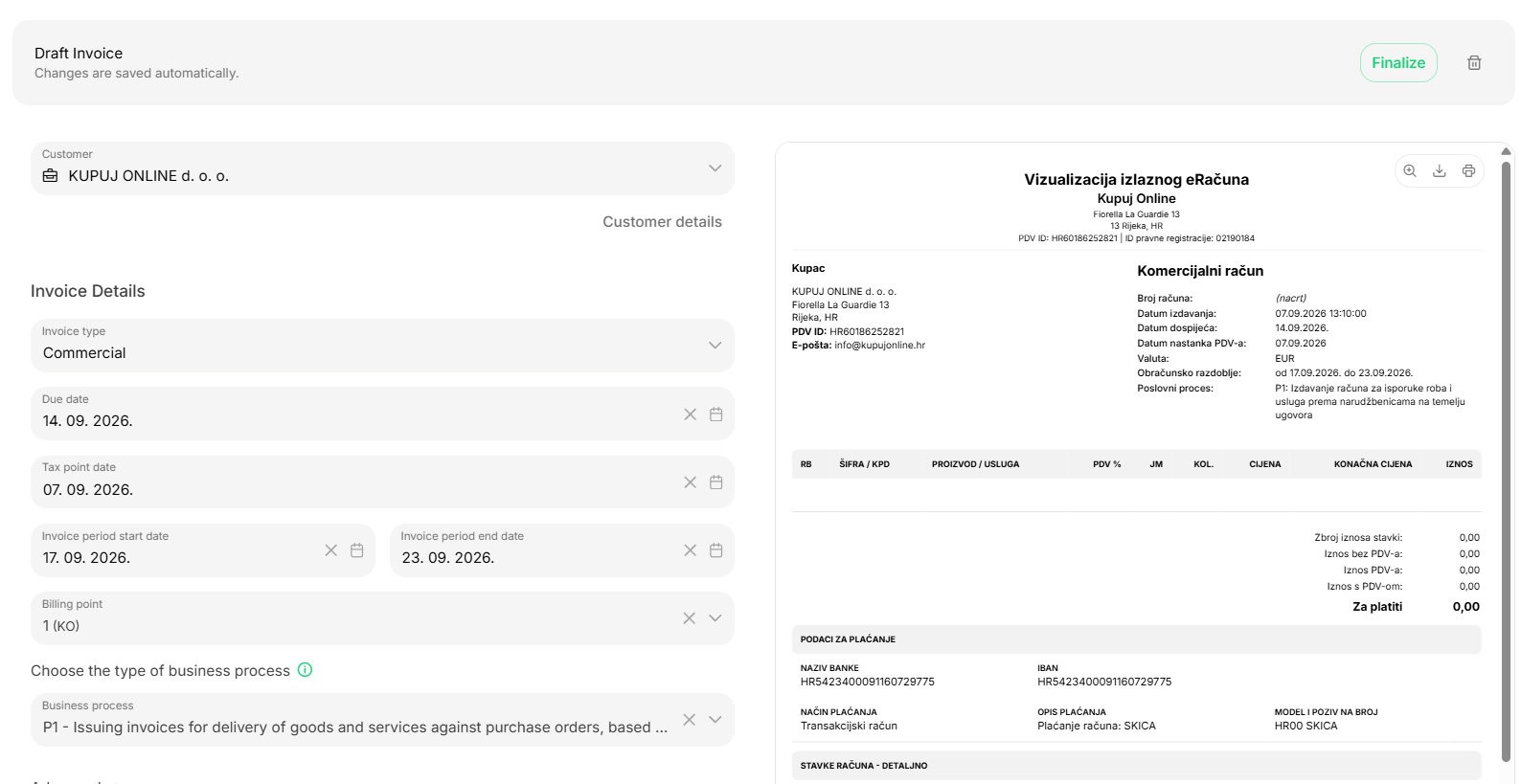
Every online sale ends with an invoice automatically.
01/WooCommerce
The plugin transfers the order and invoice information.
02 / API
A custom webshop or sales system triggers the invoice from its own workflow.
03 / Payment link
The customer pays online, and BillKO issues and delivers the invoice automatically.
Every online sale ends with an invoice automatically.
01/WooCommerce
The plugin transfers the order and invoice information.
02 / API
A custom webshop or sales system triggers the invoice from its own workflow.
03 / Payment link
The customer pays online, and BillKO issues and delivers the invoice automatically.
Every online sale ends with an invoice automatically.
01/WooCommerce
The plugin transfers the order and invoice information.
02 / API
A custom webshop or sales system triggers the invoice from its own workflow.
03 / Payment link
The customer pays online, and BillKO issues and delivers the invoice automatically.
Every channel in the same reports.
Every channel in the same reports.
Every channel in the same reports.
Compare online and physical sales, payment methods, payments, and periods. The owner and accountant work with the same invoices and information.
Compare online and physical sales, payment methods, payments, and periods. The owner and accountant work with the same invoices and information.
Compare online and physical sales, payment methods, payments, and periods. The owner and accountant work with the same invoices and information.
How retailers connect sales with BillKO.
How retailers connect sales with BillKO.
How retailers connect sales with BillKO.
See how users are automating invoices from online orders and connecting them to POS sales, billing and reporting.
See how users are automating invoices from online orders and connecting them to POS sales, billing and reporting.
See how users are automating invoices from online orders and connecting them to POS sales, billing and reporting.
Frequently asked questions.
WooCommerce connects to BillKO through a plugin. The plugin transfers order, customer, line item and payment data, and BillKO automatically issues and delivers the invoice to the customer according to the configured rule.
Yes. Your online shop, app or sales system can send invoice data through the API. BillKO creates a B2C, B2B or B2G invoice, carries out the appropriate fiscalization and returns the result to the connected system.
You send the customer a link for online payment. Once successful payment is confirmed, BillKO automatically issues the invoice, delivers it to the customer and records the status. The exact process depends on the chosen payment partner and agreed integration.
On a supported POS terminal, you enter the sale in BillKO and start the card payment. After a successful payment, BillKO issues, fiscalizes and prints the invoice. Sales and payment data remains linked to other invoices and reports.
Yes. BillKO supports a catalogue of products and services, one-off line items and basic stock levels. This data is linked to the invoices you issue in BillKO, your online shop or at the POS.
Invoices from your online shop and in-store sales go into the same BillKO system. Reports let you compare sales, payment collection, payment methods and periods, while the owner and accountant work with the same data.
Frequently asked questions.
WooCommerce connects to BillKO through a plugin. The plugin transfers order, customer, line item and payment data, and BillKO automatically issues and delivers the invoice to the customer according to the configured rule.
Yes. Your online shop, app or sales system can send invoice data through the API. BillKO creates a B2C, B2B or B2G invoice, carries out the appropriate fiscalization and returns the result to the connected system.
You send the customer a link for online payment. Once successful payment is confirmed, BillKO automatically issues the invoice, delivers it to the customer and records the status. The exact process depends on the chosen payment partner and agreed integration.
On a supported POS terminal, you enter the sale in BillKO and start the card payment. After a successful payment, BillKO issues, fiscalizes and prints the invoice. Sales and payment data remains linked to other invoices and reports.
Yes. BillKO supports a catalogue of products and services, one-off line items and basic stock levels. This data is linked to the invoices you issue in BillKO, your online shop or at the POS.
Invoices from your online shop and in-store sales go into the same BillKO system. Reports let you compare sales, payment collection, payment methods and periods, while the owner and accountant work with the same data.
Frequently asked questions.
WooCommerce connects to BillKO through a plugin. The plugin transfers order, customer, line item and payment data, and BillKO automatically issues and delivers the invoice to the customer according to the configured rule.
Yes. Your online shop, app or sales system can send invoice data through the API. BillKO creates a B2C, B2B or B2G invoice, carries out the appropriate fiscalization and returns the result to the connected system.
You send the customer a link for online payment. Once successful payment is confirmed, BillKO automatically issues the invoice, delivers it to the customer and records the status. The exact process depends on the chosen payment partner and agreed integration.
On a supported POS terminal, you enter the sale in BillKO and start the card payment. After a successful payment, BillKO issues, fiscalizes and prints the invoice. Sales and payment data remains linked to other invoices and reports.
Yes. BillKO supports a catalogue of products and services, one-off line items and basic stock levels. This data is linked to the invoices you issue in BillKO, your online shop or at the POS.
Invoices from your online shop and in-store sales go into the same BillKO system. Reports let you compare sales, payment collection, payment methods and periods, while the owner and accountant work with the same data.
Connect sales channels with automatic invoicing.
Tell us if you sell through a webshop, POS, API or multiple channels. We will show the corresponding BillKO mode of operation.
Connect sales channels with automatic invoicing.
Tell us if you sell through a webshop, POS, API or multiple channels. We will show the corresponding BillKO mode of operation.
Connect sales channels with automatic invoicing.
Tell us if you sell through a webshop, POS, API or multiple channels. We will show the corresponding BillKO mode of operation.